

To really understand what’s happening on your website, you need to install a tracking code from an analytics tool like Google Analytics.
This snippet of code is the key. It quietly collects anonymous data on what your visitors do which pages they land on, how they got there, and where they click. These aren’t just dry statistics; they’re the crucial insights you need to make your marketing smarter and your website better for your customers.
Why Tracking Your Visitors Is a Business Superpower
Before we jump into the setup, let’s get clear on why this matters so much. Understanding who visits your site, what they’re looking for, and how they found you is like having a direct line to your customers’ thoughts. This data isn’t just numbers on a screen; it’s a strategic roadmap for growth.
Imagine you run a local bakery in Surrey. By tracking website visitors, you discover that your gluten-free scones page is getting a ton of traffic from people searching in nearby towns like Guildford and Reigate. That’s a massive clue. It tells you exactly where to focus your local SEO to bring in more hungry customers.
Turning Clicks into Customers
Or, say you run a B2B consultancy. Your analytics show that most of your best leads are coming from LinkedIn. Straight away, you know where to put your marketing budget for the best possible return. This is how you move from guesswork to a data-driven strategy.
The benefits are real and immediate:
- Smarter Marketing Spend: Stop wasting money on channels that don’t work and double down on the ones that do.
- A Better User Experience: See exactly which pages are causing visitors to leave, so you can fix the problem and create a smoother journey.
- More Conversions: Get to grips with what your visitors truly want, then tweak your content and calls-to-action to give it to them.
- A Killer Content Strategy: Find out which blog posts or service pages are pulling people in, giving you a clear guide on what to create next.
This isn’t just a nice-to-have anymore. Across the UK, online businesses are digging deeper into their audience data to get an edge. They’re watching metrics like bounce rates which average around 44.78% because a lower rate often means you’re keeping people engaged. You can explore more UK website statistics on Semrush.com to see how you stack up.
Data as a Strategic Asset
Ultimately, knowing how to track website visitors gives your business a serious advantage. It lets you make sharp, informed decisions, anticipate what your customers need, and build a much more effective presence online. It’s the foundation for sustainable growth.
By mastering this, you’re no longer just running a website. You’re operating a powerful tool for business intelligence. It’s the difference between flying blind and navigating with a precise map.
Now that you know why this is so critical, let’s get into the practical side of setting up the tools that make it all happen.
Getting Started with Google Analytics 4
Now that you see the value in knowing who’s visiting your site, let’s get our hands dirty. The go-to tool for this is Google Analytics 4 (GA4), and the best part? It’s completely free. This section will walk you through getting it set up, even if the thought of touching code makes you a bit nervous.
We’ll focus on the ‘why’ behind each step, making this less of a technical chore and more of an exciting first move towards properly understanding your audience.
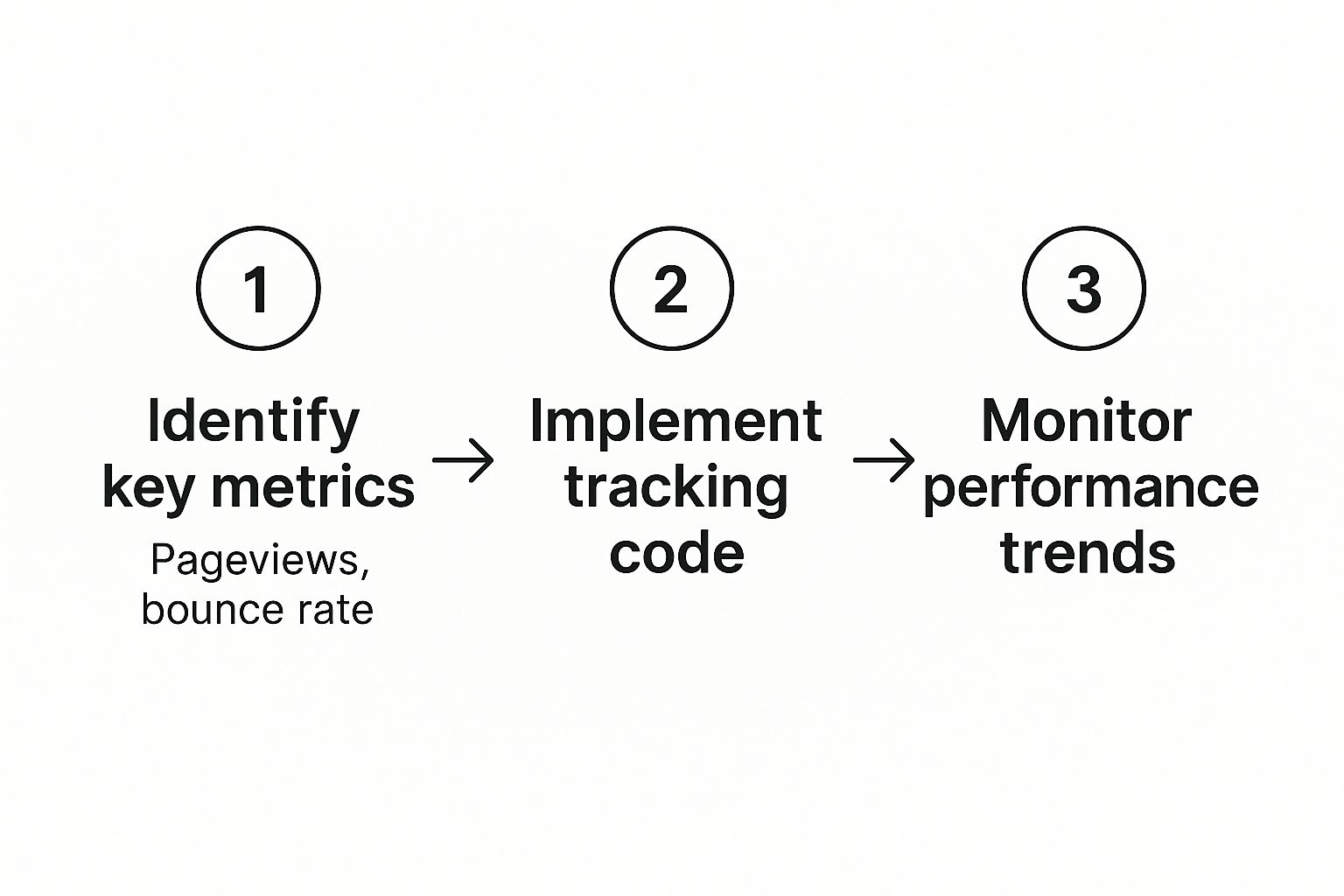
This process is a continuous cycle of learning and tweaking. You track, you analyse, you improve, and then you do it all again.
Creating Your GA4 Property
First up, you need a Google Analytics account and something called a ‘property’. Just think of the account as the main filing cabinet for your business, and a property as a specific drawer inside it for your website.
To kick things off, head over to the Google Analytics website and sign in with your Google account. You’ll be prompted to create an account first just pop your business name in there. The really crucial bit is setting up the property that follows.
- Property Name: Give it a clear name you’ll recognise, like “My Business Website”.
- Reporting Time Zone & Currency: Make sure you set these to the United Kingdom and British Pound (£). This is vital for making sure your reports are accurate for your business.
- Business Details: Fill in some basic info about your industry and business size.
Once that’s done, Google will ask you to create a data stream. Since we’re tracking a website, you’ll choose the ‘Web’ option. Here, you just need to enter your website’s URL (e.g., yourwebsite.co.uk) and give the stream a name.
After you’ve created the stream, you’ll be given a unique Measurement ID. It’ll look something like G-XXXXXXXXXX. This ID is the golden key that links your website to your GA4 property, telling Google exactly where to send all that juicy data. Keep this ID somewhere safe; you’ll need it in a moment.
Installing the Tracking Code on Your Website
With your Measurement ID in hand, it’s time to actually connect Google Analytics to your site. There are a couple of ways to do this, and the best one for you depends on what your website is built on and how comfortable you are with the techy side of things.
The Easy Way: Using a Plugin (Recommended)
If your site is built on a platform like WordPress or Shopify, using a plugin is by far the simplest and safest route. You won’t have to look at a single line of code.
For WordPress, the “Site Kit by Google” plugin is a fantastic choice. Just head to your WordPress dashboard, install and activate it. The plugin will then walk you through connecting your Google account and will automatically find your new GA4 property. It handles everything.
For Shopify, you can switch on Google Analytics right from your store’s settings. Just go to Online Store > Preferences and you’ll spot a section for Google Analytics where you can paste in your Measurement ID. Simple as that.
Pro Tip: If you’re not a developer, stick with a plugin or a built-in integration. It’s the safest bet and stops you from accidentally breaking something on your site.
The Manual Way: Adding Code to Your Header
If you’re a bit more tech-savvy or your website platform doesn’t have a simple integration, you can add the tracking code directly. Back in your GA4 data stream details, look for the ‘Global Site Tag (gtag.js)’. This is a little snippet of JavaScript code.
All you need to do is copy this entire block of code and paste it into the <head> section of your website’s HTML. Some website themes have a special box in the settings for header scripts, which is the perfect place for it. If not, you might need to edit your theme’s header.php file.
Once it’s installed, pop over to your website for a quick visit. Then, check the ‘Realtime’ report in your GA4 account. If you see your visit register, you’ve done it! Congratulations you’re officially tracking your website visitors.
Making Sense of Your Analytics Data

So, your tracking code is live and data has started trickling in. That’s the easy part done. The real challenge and where the magic happens is turning all those numbers into smart, confident business decisions. Let’s cut through the jargon and decode the most important metrics in Google Analytics 4 (GA4), translating them into insights you can actually use.
We’ll move past abstract figures and focus on what genuinely fuels growth. Imagine you run a small online clothing boutique here in the UK. Your goal isn’t just to know how many people visit your site. It’s about answering crucial questions like, “Which of my marketing campaigns is bringing in customers who actually buy something?” This is the point where raw data becomes your strategy.
Core Metrics You Cannot Ignore
Opening GA4 for the first time can feel a bit like staring at a plane’s cockpit so many dials and readouts. To simplify things, let’s zero in on a handful of core metrics that tell a powerful story about your visitors and how they behave. Think of these as the headline figures for your website’s performance.
Here are the essentials:
- Users: This is the number of unique individuals who visited your site. If one person pops by three times in a week, they are still counted as just one user. This metric tells you the size of your audience.
- Sessions: This is the total number of visits. Using the same example, that one user created three separate sessions. This number gives you a sense of how frequently people are returning.
- Engagement Rate: This is a crucial metric in GA4. It measures the percentage of visits where someone actively did something like staying for more than 10 seconds, clicking a link, or completing a purchase. A high engagement rate is a fantastic sign that your content is hitting the mark.
- Conversions: This is the ultimate goal. A conversion is any time a visitor completes an action you care about, like buying a product, filling out a contact form, or signing up for your newsletter. This metric directly measures your success.
To really get to grips with these figures, a solid understanding your analytics dashboard is vital. A clear dashboard helps you spot trends at a glance, so you can make informed decisions without getting lost in a sea of data.
To make this even clearer, here’s a quick rundown of the essential metrics you’ll want to keep an eye on.
Essential GA4 Metrics for UK Businesses
| Metric | What It Measures | Why It Matters for Your Business |
|---|---|---|
| Users | The number of distinct individuals who visited your website. | Shows the total size of your audience and your site’s reach. |
| Sessions | The total number of visits to your site, including repeat visits. | Indicates how frequently your audience returns. |
| Engagement Rate | The percentage of sessions that lasted longer than 10 seconds, had a conversion, or had at least 2 pageviews. | A key indicator of content quality and user interest. It’s the opposite of the old “Bounce Rate.” |
| Conversions | The number of times users completed a goal (e.g., purchase, form submission). | Directly measures how well your website is achieving its business objectives. |
| Traffic Acquisition | The channels that brought visitors to your site (e.g., Organic Search, Social, Direct). | Tells you which marketing efforts are working so you can allocate your budget effectively. |
These metrics form the foundation of your analytics story, giving you a clear picture of who is visiting, how they’re finding you, and what they do once they arrive.
Finding Out Where Your Visitors Come From
One of the most powerful reports in GA4 is the Traffic Acquisition report. This is where you find out exactly which channels are sending people your way. Are they finding you through a Google search? A post on Facebook? Or a link in your email newsletter?
Let’s go back to our UK online clothing boutique. By digging into the Traffic Acquisition report, the owner might discover that:
- Organic Search (people finding them on Google) brings in the most visitors by a long shot, highlighting the importance of their SEO efforts.
- Paid Social (ads on Instagram) has a lower volume of visitors but boasts the highest conversion rate. This means that while fewer people are coming from Instagram ads, they are much more likely to buy something.
- Direct traffic (people typing the website address straight into their browser) is surprisingly high, suggesting strong brand recognition and customer loyalty.
This is the moment data becomes actionable. The boutique owner can now confidently decide to invest more in their Instagram ads, knowing it delivers paying customers. They can also continue to strengthen their SEO to grow that valuable organic traffic. For more ideas, check out our guide on https://gfctech.co.uk/how-to-increase-traffic-on-your-website/.
It’s also worth noting that external factors can have a massive impact on your data. For instance, the landscape of website visitor tracking in the UK saw a significant shift after a major Google Core update. From 1 July 2025, data from UK websites showed an unprecedented spike in search impressions. This surge was seen across 85% of monitored UK-based sites, whether commercial or informational, showing just how sensitive UK analytics can be to global search engine algorithm changes.
Answering Your Biggest Business Questions
At the end of the day, your analytics data should help you answer specific, practical questions. For our clothing boutique, this could mean looking at which product pages people are leaving from immediately (a high exit rate) or which blog post on “Autumn Fashion Trends” is bringing in the most new users.
By regularly diving into these reports, you stop guessing and start knowing. You can pinpoint exactly what’s working and what isn’t, allowing you to make smarter, faster decisions that lead to real, measurable growth.
Identifying Companies Visiting Your Website
For B2B businesses, learning how to track website visitors opens up a completely new playbook. Standard analytics tools show you anonymous traffic, but what if you could see that someone from ‘ABC Corporation’ just spent ten minutes on your pricing page? This is where B2B visitor identification tools become an absolute game-changer.
This technology goes way beyond just looking at aggregated data. Instead, it gives you a list of the actual companies showing interest in your services. Think of it as a warm lead detector working silently in the background of your website, flagging potential customers before they’ve even filled out a form.
How B2B Visitor Identification Works
The process behind this is clever but surprisingly straightforward. It mainly relies on a technique called reverse IP lookup. Every business connects to the internet through an IP address, and many of these are publicly registered to the company itself. Visitor identification tools maintain huge databases that match these IP addresses to company names and other details.
When an employee from a company visits your site, the tool gets to work:
- It spots their IP address.
- It checks that IP against its massive database.
- If it finds a match, it reveals the company’s name, industry, and sometimes even its size and revenue.
- Crucially, it then shows you which pages they looked at and for how long.
This kind of insight is incredibly powerful. Knowing a target company is actively researching your solutions lets your sales team make timely, informed, and genuinely relevant outreach.
It shifts your sales approach from cold calling to a warm, intelligence-led conversation. You’re no longer guessing who might be interested; you have a direct signal of their intent.
Fuelling Account-Based Marketing Strategies
This data is the rocket fuel for a powerful Account-Based Marketing (ABM) strategy. Instead of marketing to a broad audience, ABM focuses your precious resources on a select set of high-value target accounts. Visitor identification tells you which of those target accounts are already “warm.”
Imagine your sales team gets an alert that a company on their dream-client list just browsed three of your case studies. They can immediately follow up with a personalised email or LinkedIn message referencing the exact challenges those case studies solve. This completely transforms the sales dynamic.
In the UK, this data-driven approach is vital for B2B growth. Visitor tracking tools have become essential for turning site traffic into real leads, especially for companies using ABM. You can discover more insights about the European B2B tracking landscape on ibeamconsulting.com. This information is crucial for understanding the impact on your sales process and, ultimately, for knowing how to measure marketing ROI from these targeted efforts.
For businesses specifically focused on identifying company visitors, exploring tools like Leadfeeder and learning how to connect Leadfeeder with Salesloop can be highly beneficial. Integrating these platforms helps streamline the process of turning anonymous visits into actionable sales intelligence.
Leading Tools and Their Capabilities
Several excellent tools specialise in this area. While their core technology is similar, they tend to differ in features, how they integrate with other software, and of course, pricing.
- Leadfeeder: A market leader known for its clean interface and strong integration with CRM platforms like Salesforce and HubSpot.
- Albacross: Offers robust data and filtering options, helping you segment visiting companies by size, industry, and location.
- Lead Forensics: A powerful UK-based tool that provides detailed company information and contact data for key decision-makers.
Integrating this intelligence directly into your sales process allows you to prioritise outreach, personalise your communication, and ultimately close more deals with companies that are already showing a clear interest in what you offer.
How to Track Visitors Legally in the UK

Gathering data on your website visitors is a powerful way to understand your audience and grow your business. But in the UK, it comes with serious legal responsibilities. This isn’t just about ticking boxes to avoid fines; it’s about building genuine, lasting trust with your customers by showing you respect their privacy.
Getting to grips with the rules set out by the General Data Protection Regulation (GDPR) and the Privacy and Electronic Communications Regulations (PECR) is non-negotiable for any business operating online. Let’s walk through the practical steps you need to take to track visitors ethically and legally.
Understanding Cookies and Consent
At the heart of legal tracking is the idea of consent, especially when it comes to cookies. Cookies are tiny text files your site places on a visitor’s device to remember things. But they’re not all created equal, and the law treats them very differently.
You need to know the difference between the two main types:
- Strictly Necessary Cookies: These are essential for your website to work at all. A classic example is a cookie that remembers what a customer has put in their shopping basket. You don’t need to ask for consent for these.
- Non-Essential Cookies: This bucket covers everything else cookies used for analytics, advertising, or tracking performance. The cookies set by Google Analytics fall squarely into this group. For these, you must get explicit, affirmative consent from the user before you place them on their device.
This is a critical point: consent has to be actively given. Simply saying “by using this site, you accept cookies” is no longer enough to be legally compliant. Users must be given a real choice to accept or reject non-essential cookies.
Crafting a Compliant Cookie Banner
Your cookie banner is the first impression you make on a visitor about how you handle their privacy. It needs to be clear, easy to use, and completely compliant. A good banner makes it just as easy to reject cookies as it does to accept them.
For instance, a bad banner might have a big, bright green “Accept All” button while hiding the “Reject” option behind several clicks in a complicated settings menu. This type of design, known as a ‘dark pattern’, is not compliant.
A compliant cookie banner should:
- Be Clear and Concise: Explain in simple terms that your site uses cookies and why. No jargon.
- Provide Granular Options: Let users accept all, reject all, or choose specific categories of non-essential cookies (like “Analytics” or “Marketing”).
- Offer Equal Prominence: The buttons to accept and reject should be equally easy to find and click.
Your Privacy Policy: The Foundation of Trust
Beyond the cookie pop-up, your privacy policy is the cornerstone of your legal compliance. This document must be easy to find from every single page on your website and should clearly explain how you handle data.
A GDPR-compliant privacy policy must detail:
- What personal data you collect (including any data gathered via cookies).
- How and why you collect it.
- How long you keep the data for.
- Who you share it with (e.g., Google, for your analytics).
- The rights of the user, such as their right to access or delete their data.
Transparency is absolutely key here. Ditch the legal jargon and write in plain English so an average person can easily understand how their information is being used. This clarity doesn’t just keep you compliant; it builds your credibility with customers. This approach is especially vital for businesses focusing on a specific area, as trust is fundamental to what is local SEO and building a strong community presence.
Frequently Asked Questions
When you first start tracking your website visitors, a lot of questions pop up. Here we’ll tackle the most common queries we hear from UK business owners, with clear, straightforward answers.
Can I See Exactly Who Visits My Website as an Individual?
This is a big one. The short answer is no, not with standard tools. For very important privacy reasons, platforms like Google Analytics are built to show you anonymous, grouped data. You’ll see things like which city someone is in or what device they used, but never their name or email address.
Some specialist B2B tools can get a bit closer by identifying the company a visitor works for using their corporate IP address. But even then, they can’t tell you which specific person from that company was browsing your site.
Is Google Analytics the Only Tool I Can Use?
Not at all. While Google Analytics is the go-to free option and a brilliant place to start, there are plenty of powerful alternatives out there. The best tool for you really comes down to your budget and what you’re trying to achieve.
- Privacy-First Tools: If you’re especially conscious of data privacy, platforms like Matomo or Fathom Analytics are designed from the ground up to be more compliant.
- Behavioural Insight Tools: For a different kind of insight, services like Hotjar or Crazy Egg give you heatmaps to see where people click and session recordings to watch their entire journey on your site.
How Soon Will I See Data After Installing the Code?
Most analytics platforms, including GA4, will start collecting and showing data within 24 to 48 hours once the tracking code is correctly installed on your site.
You can usually find a ‘Realtime’ report that shows activity almost instantly. This is a great way to check that everything is working. For making any real decisions, though, you’ll want to let at least a few weeks of data build up to get a reliable picture of how people are using your site.
A word of caution: don’t make any big business decisions based on just a day or two of data. Give your analytics time to build a clear, accurate picture of visitor behaviour over a longer period.
Will Tracking Slow Down My Website?
Modern tracking scripts, like the one Google Analytics uses, are incredibly lightweight. They’re designed to load ‘asynchronously’, which is a technical way of saying they load in the background and don’t stop the rest of your page from appearing for your visitors.
The only time you might run into trouble is if you start piling on lots of different scripts from various services say, one for analytics, another for heatmaps, and a few more for advertising. The combined effect of all those scripts can sometimes cause a bit of a slowdown. It’s always best to be strategic and only use the tools you genuinely need.
What Is the Difference Between Users and Sessions?
This is one of the most important distinctions to get right when you’re looking at your data. It’s actually pretty simple.
A ‘user’ is a single, unique person visiting your site, who is identified by a little cookie file in their browser. A ‘session’ is a period of their activity on your site. So, if one person visits your site in the morning and comes back again in the evening, your analytics will show that as one user and two sessions.
Understanding this difference is key to measuring both the size of your audience (users) and how engaged they are (sessions).
At GFC Tech, we help Surrey-based businesses turn website data into real growth. From setting up your analytics to crafting a data-driven SEO strategy, we provide the technical expertise you need. Find out how we can help you at https://gfctech.co.uk.
Adam is a Founder of GFC Tech, a company dealing in SEO and website design and development services. Adam has been an SEO expert for the past 8 years and has been working with different companies in this field. He is an SEO consultant and a marketing strategist and works closely with his clients to ensure that his marketing plans and strategies provide them with the marketing advantages they need to grow their business. Adam’s main role is an SEO consultant, but he is also involved in all technical aspects. Adam also develops WordPress websites, designs them professionally and performs SEO for them so they can rank on the first page of google.


