

Getting your Google My Business setup right is like hanging the perfect sign above your shop door, only this one is visible across all of Google Search and Maps. For any UK business, it’s one of the most powerful free tools you can use to get the phone ringing, drive website clicks, and bring customers through the door. Think of it less as just another listing and more as a serious investment in your local reputation.
Why Your Google Business Profile Matters
Your Google Business Profile (or GBP) is basically the modern-day Yellow Pages, except it’s interactive, dynamic, and a thousand times more effective.
Imagine a potential customer in Surrey searching for “plumber near me” or “best café in Guildford.” Google’s first response is often that ‘Local Pack’ map, showing three standout businesses. Nailing your GBP setup is what gets you into one of those coveted spots, and that can make a huge difference to your monthly enquiries.
When it comes to business leverage in the digital age, a well-managed Google Business Profile is a non-negotiable part of dominating your local market. It’s a direct line to your customers where you can show off your services, post updates, and build a solid reputation through genuine reviews.
The Impact on Customer Actions
The numbers don’t lie. There are over 215 million GBP listings worldwide, and the average profile gets around 81 interactions every single month. The real kicker? A whopping 48% of users click through to a business’s website after checking out its profile. That’s a passive searcher turning into an active, interested visitor.
What this means is your profile isn’t just sitting there looking pretty; it’s an active lead-generation machine, working for you 24/7.
An optimised profile does more than just list your details. It builds trust, answers questions before they’re asked, and gives customers the confidence to choose you over a competitor down the road.
Gathering Your Essentials Before You Start
A smooth google my business setup starts with having all your ducks in a row. I’ve seen it time and again: rushing into the process without a bit of prep leads to frustrating delays and verification headaches later on. Think of it like gathering your ingredients before you start cooking; it just makes the whole thing run better.
So, before you even open a browser tab, let’s get these core details nailed down:
- Your Exact Business Name: This needs to match your official signage and branding perfectly. Whatever you do, don’t stuff it with extra keywords or locations.
- A Verifiable Address or Service Area: If you have a physical shopfront, you need the full, accurate address. If you’re a mobile business that travels to customers (like a plumber or landscaper), you’ll need a clearly defined list of the postcodes or towns you serve.
- A Local UK Phone Number: It’s always best to use a direct line for your business. Avoid using a personal mobile if you can, as consistency is a key trust signal for local search.
- Your Primary Business Category: Be as specific as possible here. Instead of a general term like “Health,” you’d choose “Physiotherapist” or “Chiropractor.” It makes a huge difference.
Understanding UK Eligibility
It’s also worth remembering that not every business can have a profile. To set up and optimise a Google Business Profile in the UK, you have to meet certain criteria. Your business must have a physical presence, either with a shopfront customers can visit or a defined service area where you travel to them. This means purely e-commerce businesses or remote consultants without a dedicated office won’t qualify. You can learn more about the specific Google Business Profile optimisation rules for the UK.
Getting these details right from the very beginning is the single most important step. It builds a solid, accurate foundation that Google trusts, which is absolutely essential for avoiding verification headaches and ranking well in local searches.
Having this information organised first will genuinely save you a ton of time and faff during the actual setup. Trust me on this one.
Getting Started: Initial Setup and Verification
With your details in hand, it’s time to roll up your sleeves and get into the actual google my business setup. This is where you officially create your profile and claim your digital real estate on Google. Don’t think of it as just another form to fill out; you’re building the very foundation of how local customers will find you and decide to get in touch.
First things first, you’ll be asked for your business name. Make sure it’s the exact name customers use – no extra keywords or location tags. Next up is your primary business category. Precision here is key. Choosing “Pizza Restaurant” over a generic “Restaurant” helps Google match you with hungry locals searching for exactly what you offer, right from the start.
Pinpointing Your Location or Service Area
Now you need to tell Google where you operate. This is a critical fork in the road, and getting it right from the outset saves a lot of headaches later on.
- For brick-and-mortar businesses: If you have a physical shop, office, or clinic that customers visit, you’ll enter your full, precise address. This needs to be a real, verifiable location where you can receive mail.
- For service-area businesses: If you travel to your customers – think mobile dog groomers, plumbers, or freelance photographers – you will hide your physical address. Instead, you’ll define your service area by listing the specific postcodes, towns, or counties you cover.
Nailing this distinction ensures you show up in the right local searches, whether someone is looking for directions to your front door or just checking if you serve their neighbourhood.
To help you keep track of the essential information needed during this stage, here’s a quick summary.
Key Information for Your Business Profile
| Profile Section | What to Enter | Optimisation Tip |
|---|---|---|
| Business Name | Your official, customer-facing name. | Resist the urge to add keywords or locations. Keep it clean and consistent with your real-world branding. |
| Business Category | Your most specific primary category. | After setup, add relevant secondary categories (e.g., “Takeaway” or “Outdoor Seating”) to capture more specific searches. |
| Address/Service Area | Your physical address OR defined service area. | For service-area businesses, be realistic. Don’t list areas you can’t profitably serve just to appear in more searches. |
| Contact Details | Your primary business phone number and website. | Use a local number if possible to build trust. Ensure your website URL is correct and leads to your homepage. |
Getting these core details right is the first major step towards building a profile that works for you.
The All-Important Verification Process
Once your initial info is in, Google needs to confirm that your business is legitimate and that you’re the rightful owner. This is the verification step, and honestly, it can sometimes be a bit of a hurdle. The most common method in the UK is still the postcard, which usually lands on your doormat within 5-7 business days.
This postcard contains a unique code you’ll enter into your profile to prove your location is real.
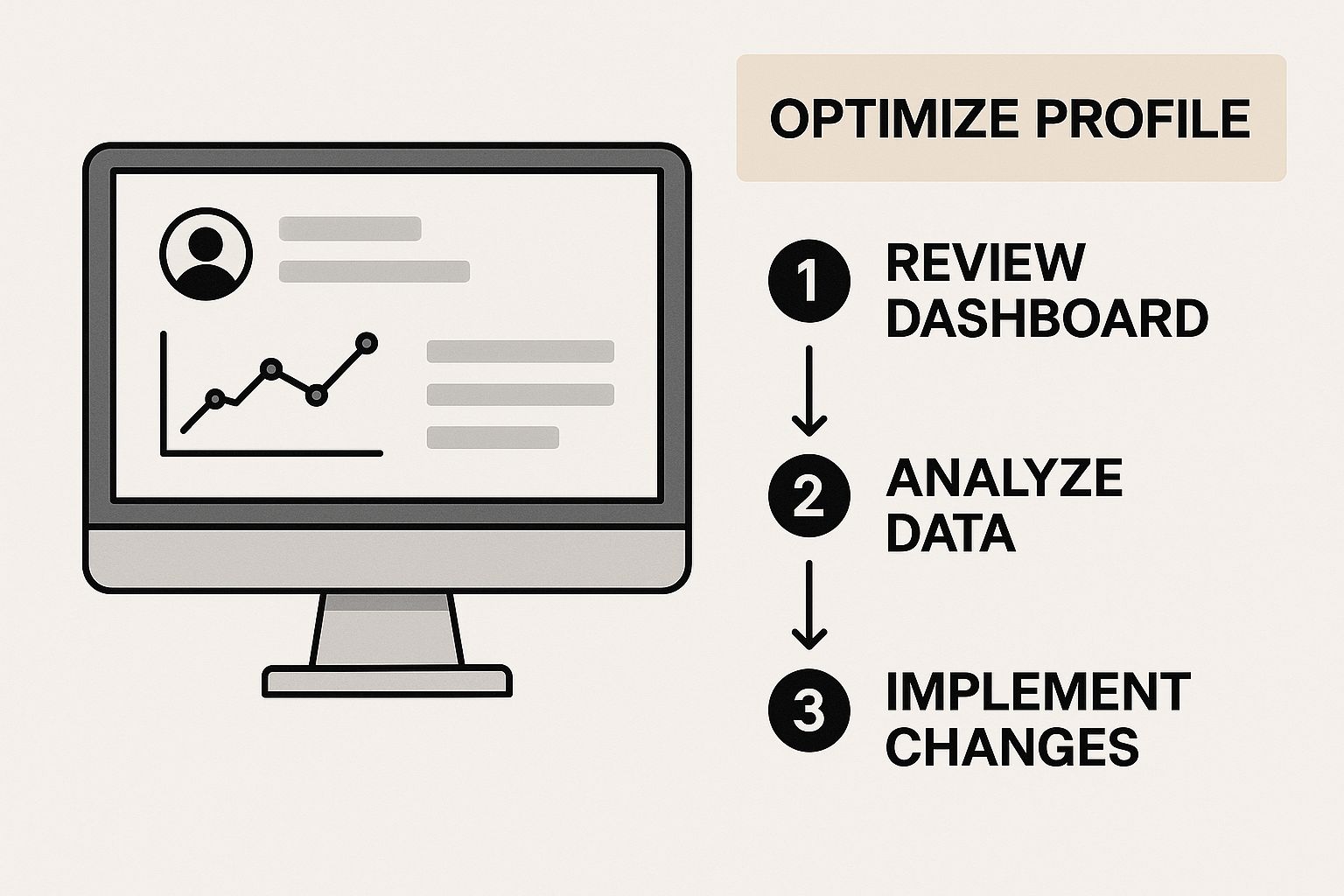
As the diagram shows, verification is the gatekeeper. You can’t unlock your profile’s full potential for optimisation until you’ve passed this checkpoint.
Don’t panic if the postcard takes its time. Delays happen. But if you’re stuck in a loop, it’s worth exploring other options. Some businesses qualify for faster methods like phone, email, or even a live video call verification.
For a deeper dive into what to expect and how to troubleshoot common issues, check out our complete guide on the Google Business Profile verification process. Getting through this stage is the final step before you can really start making your new profile shine.
Optimising Your Profile to Win Customers
Getting your profile verified is a huge milestone, but honestly, the real work starts now. A complete, active profile is what separates a passive online listing from a genuine lead-generation machine. The next part of your google my business setup is to strategically fine-tune every section to attract and convert local customers.
Think of your business description as your 30-second elevator pitch. You’ve got 750 characters to tell potential customers who you are, what makes you different, and why they should choose you. You’ll want to weave in the kinds of keywords your customers are actually searching for, like “emergency plumber in Surrey” or “artisan coffee shop near Guildford station.”
Bring Your Business to Life
High-quality photos and videos are completely non-negotiable these days. Customers want to see what you do, meet your team, and get a feel for your premises before they even think about picking up the phone.
For a service business, this means showcasing before-and-after shots of a recent project. For a café, it’s all about those mouth-watering photos of your best-selling cakes and the welcoming atmosphere. The data backs this up: profiles with photos receive 42% more requests for driving directions and 35% more clicks through to their websites.
Another powerful tool at your disposal is Google Posts. Use them to share things like:
- Special Offers: Announce a “15% off weekend special.”
- New Services: Let people know you’ve just added a new offering.
- Company Updates: Share recent news or link to your latest blog post.
These posts act like mini-adverts directly on your profile, keeping your listing fresh and engaging. For a much deeper dive into making your profile work harder for you, check out our complete guide on how to optimise your Google Business Profile.
I worked with a local electrician in Surrey who started using Google Posts weekly to highlight recent installations and offer seasonal safety checks. Within three months, their incoming calls from their profile had doubled simply because they consistently showed up as an active, trustworthy local expert.
With Google commanding over 93% of the search engine market share in the UK, a well-maintained profile is your ticket to tapping into this massive pool of local customers. Beyond the initial setup, continuous effort in mastering business listing management is what really drives sustained visibility.
Managing Your Reputation with Reviews and QA
Once your Google Business Profile is set up and optimised, it stops being a static listing and becomes a live conversation with your customers. At the heart of this conversation are reviews, one of the most powerful trust signals you have for attracting new clients. Your online reputation isn’t something that just happens; you need to actively manage it.

The first step is simply encouraging happy customers to share their experiences. A friendly follow-up email after a job is done or a polite request at the end of a transaction can make a huge difference. For a more detailed approach, our guide on how to get Google reviews offers proven strategies you can start using today.
Responding to every single review good or bad is non-negotiable. It shows prospective customers you’re engaged and that you genuinely value feedback.
Responding to Customer Feedback
A thoughtful response can turn a negative experience into a positive impression.
- For Positive Reviews: Thank the customer by name and mention something specific from their feedback. This proves you’ve actually read and appreciated their comments, rather than just using a canned response.
- For Negative Reviews: Jump on these quickly and professionally. Acknowledge their issue, apologise for their experience, and offer to take the conversation offline to find a resolution. This public display of accountability builds serious trust.
Never ignore a negative review. A professional and empathetic response demonstrates your commitment to customer service, which is often more impactful to potential customers than the initial complaint itself.
Using the QA Feature Proactively
Beyond reviews, the Question & Answer section of your profile is a goldmine for building credibility. Don’t just sit back and wait for customers to ask questions; get ahead of the game by populating this section yourself. Think about the top 5-10 questions you get asked most often and post them with clear, helpful answers.
This turns your profile into a reliable resource, helping customers make informed decisions faster. It also gives you control over the narrative, ensuring the information out there is accurate and reflects your brand in the best possible light.
Frequently Asked Questions About Google My Business Setup
1. Is a Google Business Profile really free?
Yes, creating, verifying, and managing your profile is completely free. It is one of the most powerful no-cost marketing tools available for local businesses to increase their visibility on Google Search and Maps.
2. Do I need a physical shop to have a profile?
No, you don’t. If you run a service-area business, like a plumber or a mobile dog groomer who travels to clients, you can create a profile. During the setup, you simply hide your physical address and define the specific areas you serve instead.
3. How does Google Business Profile help with local SEO?
A complete, accurate, and active profile is a major ranking signal for Google. Factors like consistent business information (name, address, phone number), positive customer reviews, regular updates via Google Posts, and high-quality photos all tell Google that your business is a relevant and trustworthy result for local searches.
4. What if Google already has an incorrect listing for my business?
This is a common issue. Your first step is to search for your business on Google Maps. If an existing profile appears, you must claim it by following the on-screen prompts. Once you have completed the verification process to prove ownership, you will gain control and can correct all the outdated information.
5. Can I manage my profile from my phone?
Absolutely. You can manage most of your profile’s features, such as responding to reviews, updating your hours, and creating Google Posts, directly from the Google Maps app or by searching for your business name while logged into your Google account. This makes it incredibly convenient to keep your profile fresh and up-to-date.
A properly set up and managed Google Business Profile is non-negotiable for local success. If you’re based in Surrey and need an expert hand to optimise your profile and turn those searches into real customers, GFC Tech is here to help. Visit us at gfctech.co.uk to learn more about our local SEO services.
Adam is a Founder of GFC Tech, a company dealing in SEO and website design and development services. Adam has been an SEO expert for the past 8 years and has been working with different companies in this field. He is an SEO consultant and a marketing strategist and works closely with his clients to ensure that his marketing plans and strategies provide them with the marketing advantages they need to grow their business. Adam’s main role is an SEO consultant, but he is also involved in all technical aspects. Adam also develops WordPress websites, designs them professionally and performs SEO for them so they can rank on the first page of google.


